Your charts, your levels,
your Quiet Money edge.
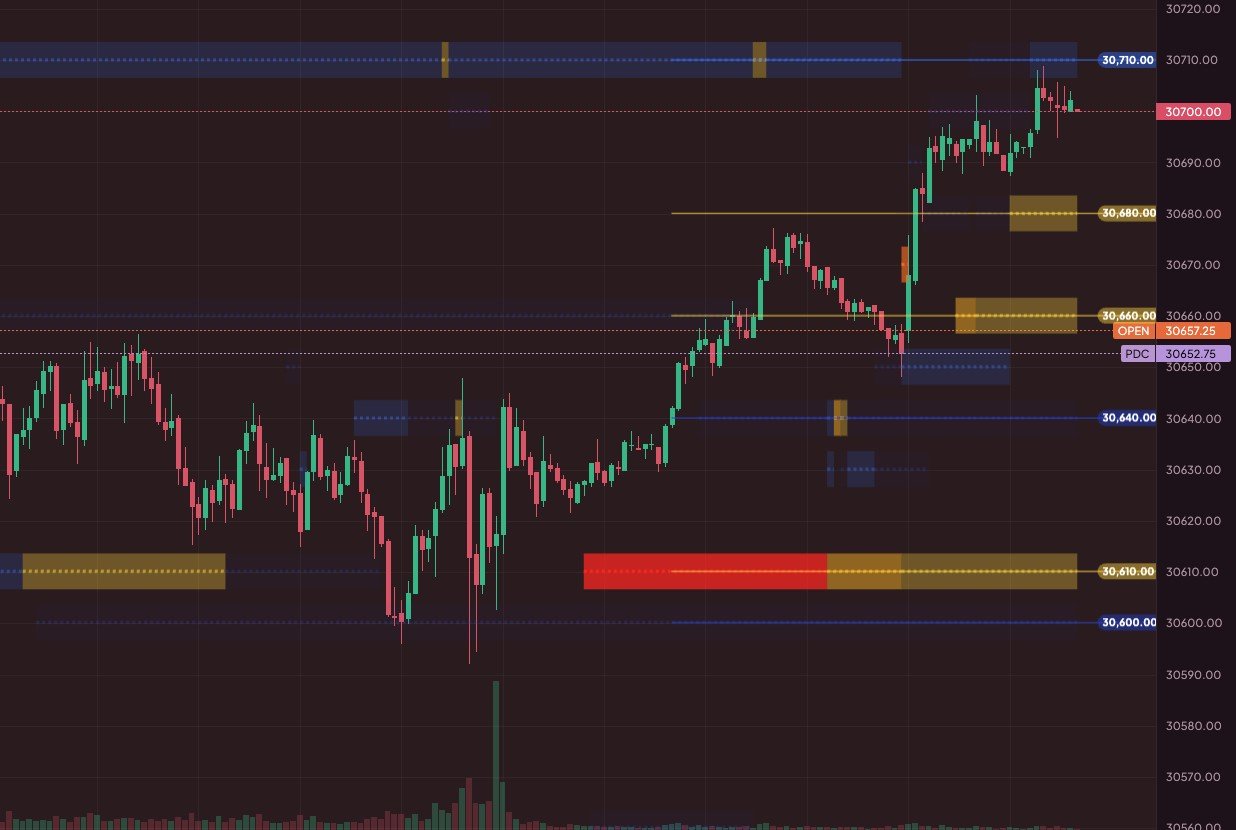
Live CME futures charts with the QMM Heat Grid, Magnet Levels and trading right from your chart through Tradovate — all in one calm, beautiful place.
Educational tools only · Trading involves risk
Made for the way you trade
No more juggling tabs. Charts, levels, indicators and your broker — together.
Live futures data
Real-time ES, NQ, Gold and Crude from the CME, tick by tick — plus crypto.
QMM Heat Grid 🔒 Members
See where dozens of levels agree. The brighter the zone, the more methods say it matters.
Magnet Levels
Prior-session high, low and close and today's open, plotted for you automatically.
Trade from your chart
Connect Tradovate, then buy, sell and drag your take-profit and stop-loss right on the chart.
Layouts that follow you
Your indicators, drawings and settings save automatically — open them on any computer.
Streamer privacy mode
Going live? Blur your balance and account number with one tap.
Your account, calm and clear
Slide up the trading panel to see what matters today — without leaving your chart.
- Balance, day P&L and open P&L at a glance
- Today's accuracy: how many of your trades won
- Automatic take-profit and stop-loss on every order, if you want them
- You approve QMM Charts on Tradovate's own page — we never see your password
- You place and manage every trade. Always.
Example only, with privacy mode on. Not real results.
Three calm steps
Create your account
Sign up with your email. Your layouts save to your account from day one.
Set up your chart
Pick your market, add your indicators and drawings — make it yours.
Connect Tradovate
When you're ready, connect your broker and trade your plan from the chart.
QMM indicators, included
Members get the QMM Heat Grid and every QMM indicator we build, right on their charts. Built by traders, for traders. 💕
You asked, we answered
Which brokers can I connect?
Tradovate today, including prop-firm accounts that run on Tradovate. More brokers may follow.
Does QMM Charts see my broker password?
No. You approve QMM Charts on Tradovate's own page, and Tradovate gives us permission to show your account and send the orders you choose. You can disconnect any time.
Who places the trades?
You do — always. QMM Charts is a charting and order-routing tool. It never trades for you.
Is this financial advice?
No. Everything in QMM Charts is educational and for charting. Trading futures involves substantial risk of loss. Please read our Risk Disclosure.
Can I use it on more than one computer?
Yes. Sign in and your saved layouts, drawings and indicator settings are right there.